Is OnlyFans Down Right Now? Hack Status Check & Real Fixes
October 21, 2026 · 10 min read · By Exclu Team
Is OnlyFans Down Right Now? How to Check Status and Fix It
Last updated: October 2026

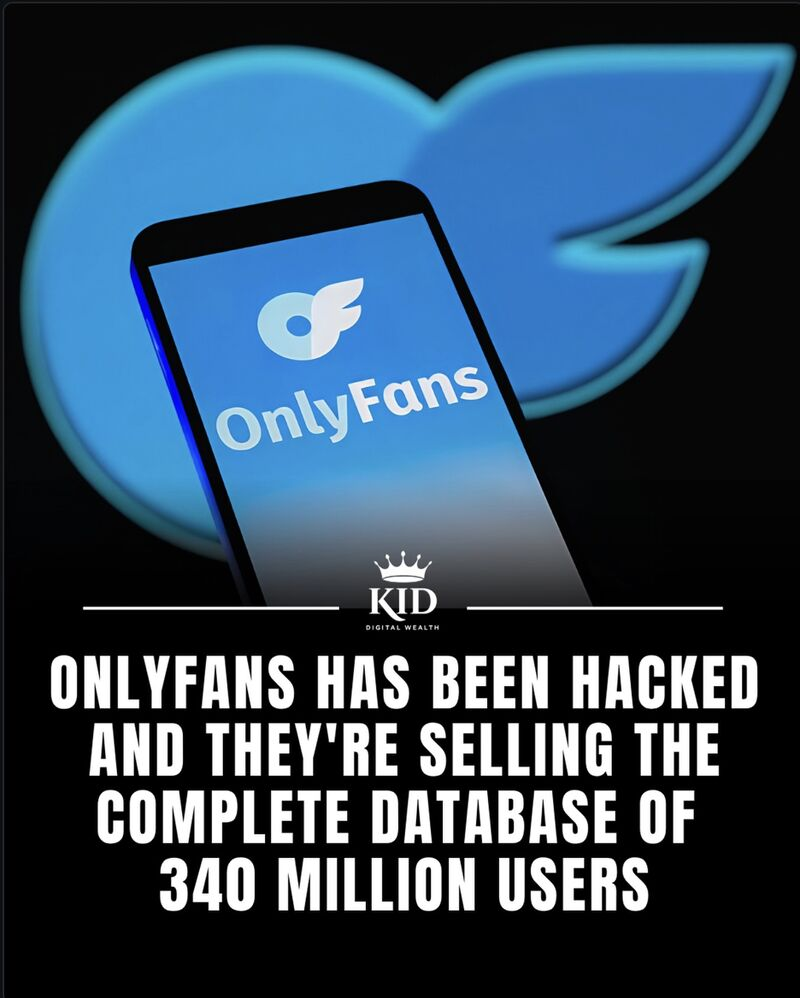
The short answer : OF GOT HACKED
Start at status.onlyfans.com - OnlyFans' own status page. It's the only source that reflects what the platform knows about itself, and it breaks things down by component and might be a hack: Website, Notifications, Direct Messages, Live Streams, Login, Transactions, APIs, Infrastructure, Media.
 Then do a 15-second sanity check. If another site loads on the same connection but OnlyFans doesn't - on Wi-Fi and mobile data - the problem is almost certainly on their side. If everything fails, it's your connection, not an OnlyFans outage.
If the status page is green and you're still stuck, work through the eight fixes below in order. They're ranked by how often they actually solve the problem, not by how technical they sound.
Quick verdict:
Status page green, one device affected → your browser, cache, extension or network.
Status page green, dozens of fresh Hack reports from other people → partial degradation OnlyFans hasn't acknowledged yet. Wait 10 minutes and retry.
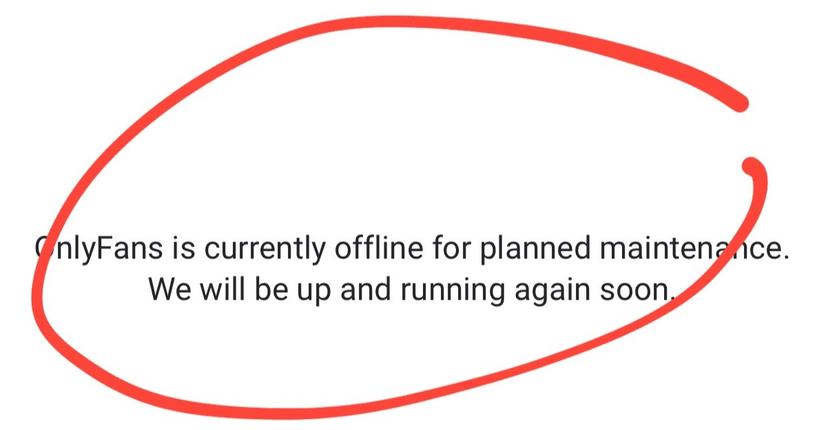
Status page shows an incident or maintenance window → real outage. Log it, message your subscribers, and read the creator section below.
Onlyfans creators are now switching to alternatives platforms
What to do when my Onlyfans account is down ?
Don't panic. If OnlyFans is down, the problem is almost never on your side - wait out the outage, don't delete content, don't change your payout details, and don't spam support with duplicate tickets. Log the time and duration so you have a record if a payout or a scheduled post is affected.
Tell your fans where to find you and use exclu as link in bio to convert outside. An outage is the moment you realise your entire audience lives on a platform you don't control. Post on Instagram, X or Telegram that you're still there, and keep a link-in-bio page pointing to every channel you own - so a 40-minute outage never turns into a week of silence.
Have a backup platform like Exclu (0% commission) or Fansly. The creators who lose the least from an outage are the ones who already have a second revenue channel running. That's exactly what Exclu builds: your own account, your own audience, your own custom domain, plus a team handling chatters, pricing and promotion - no commission, no lock-in, so a platform going down is an inconvenience, not a lost month.
 How to tell if OnlyFans is down (in under 60 seconds)
Open the status page on a different device than the broken one - phone on mobile data is ideal. Check the specific component, not just the "All Systems Operational" banner at the top. A green banner with a degraded Login or Media line tells you exactly where the failure sits.
Test your own network. Load any non-OnlyFans page on the same Wi-Fi. If that page is fast and OnlyFans is not, switch OnlyFans to mobile data (hotspot or phone) and reload. Works on data but not Wi-Fi means it's your router, DNS or ISP filter.
Compare your exact symptom with other people's. One glance at a monitor's report count plus one recent forum or Reddit thread is enough. If strangers describe your specific failure - spinner forever, login rejected, feed blank - in the last hour, it's platform-side. If nobody else mentions it, keep reading.
What you see | What it usually means |
|---|---|
Spinner forever, but DMs still send | A single blocked request: media/CDN, or a script an extension is killing |
Login rejected on every device and network | Login component, 2FA delivery, or account-level lock |
Feed empty, profile pages load fine | Cache, extension, or a partially degraded feed service |
Nothing loads on one network, everything loads on another | Local network, DNS filter, VPN, or ISP block |
Payout stuck in Pending while the site works fine | Banking, not an outage |
Where to check OnlyFans status
There are three places people look, and they answer different questions.
1. The official status page - status.onlyfans.com
The only authoritative source. What most people miss:
It has nine components, so "Website: Operational" says nothing about Live Streams or Transactions.
Historical uptime covers the past 90 days - useful when a fan swears payments have been broken "for weeks".
Past incidents lists outages and scheduled maintenance with UTC timestamps. That's how you tell a real problem from a planned platform update with a one-hour window.
You can subscribe to updates and pull an RSS/Atom feed; there's also a JSON API if you run a team and want automated alerts.
Limitation: it reports what OnlyFans monitors. Slow media, images that won't load, and notification weirdness often run ahead of the official line.
2. Third-party monitors - corroboration, not verdicts
Down For Everyone Or Just Me, Uptime.com, Is It Down Right Now, Downdetector and similar "onlyfans down detector" pages share one useful signal: volume of reports from real users. That's how you catch a partial failure that hasn't hit the official page.
Treat them as weather vanes. A single failed probe from one datacentre gets rendered as "down right now", and crowd reports spike on regional ISP problems too. If a monitor says down and the official page is green, you're probably looking at a local or regional issue.
3. Reddit and X - fastest for nuance, worst for accuracy
r/onlyfansadvice and the @isOFdown account are where the specific symptom shows up first: "member pages take five minutes to load", "messages send but don't arrive". Invaluable for confirming you're not alone.
But every outage thread contains someone whose Wi-Fi is off. Scroll for repeated, identical reports from different people, not the loudest one. If you want to know what's going on with OnlyFans at 2 a.m., this is where you'll see it - just verify against the status page before you tell your subscribers anything.
OnlyFans not working? 8 fixes, in order
1. Clear cache and cookies for onlyfans.com
The most common cause of a page that loads halfway or loops you back to login. On Chrome: Settings → Privacy and security → Delete browsing data → Cookies and cached files, time range "Last 24 hours". On iPhone: Settings → Safari → Clear History and Website Data.
Do it for OnlyFans only if your browser lets you - you'll be logged out everywhere. Before you clear, make sure your two-step authentication codes will still reach you.
2. Try incognito or a private window
Thirty seconds, zero risk. A private window starts with no cookies and no extensions, so it separates "my browser profile is corrupted" from "the site is broken". Loads fine in private but fails normally → go back and clear site data, then disable extensions one at a time. Fails in private too → keep going down this list.
3. Switch network and turn your VPN off
VPNs, iCloud Private Relay, corporate proxies, hotel Wi-Fi and some mobile carriers cause more "onlyfans not loading" reports than OnlyFans outages do. Turn the VPN off, switch from Wi-Fi to mobile data, and retry. If it works, the block is in your network path - change DNS, restart the router, or leave the VPN off while you work.
4. Disable ad-blockers and DNS filters
uBlock Origin, Brave Shields, AdGuard, NextDNS, Pi-hole and parental filters regularly break parts of OnlyFans: missing thumbnails, a spinner that never resolves, buttons that do nothing. Disable for the whole session, not just for one tab. If that fixes it, whitelist onlyfans.com rather than killing the blocker everywhere.
5. Update the browser, or replace the "app"
There is no official OnlyFans app in the App Store or on Google Play. The icon on most creators' home screens is a shortcut to the mobile site, so when the "onlyfans app not working" complaint appears, you're really debugging Safari, Chrome or an Android WebView.
Update your browser, then reload. If the shortcut itself is stale, delete it and re-add onlyfans.com to your home screen. Third-party "OnlyFans" apps and APKs are unofficial - they're a common cause of logins that fail only inside the app.
6. Look at the loading screen and the feed separately
"Onlyfans stuck on loading screen" with a working site behind it is usually one failing request, not a dead platform. Try a direct profile URL instead of the home feed. Turn autoplay off. Open the same URL in a second browser. If the shell loads but any media-containing page stalls, suspect a blocker (fix 4) or the Media component on the status page. If the feed is blank while DMs and profiles work, suspect cache (fix 1).
7. Check login and 2FA before you assume an outage
If you're searching "onlyfans login problems today", separate three things fast:
Password rejected on one device only → session/cookie issue. Log out, clear data, retry.
2FA code never arrives → SMS delivery or authenticator clock drift. Set your phone's time to automatic, request a new code, check the number on file.
Verification email missing → check spam and any inbox filtering rule; links expire.
Rejected everywhere, on every network → check the Login line on the status page, then contact support.
Don't hammer the reset flow ten times. Lockouts triggered by repeated attempts cost you more time than waiting ten minutes.
8. Check your account status, not just the platform status
Sometimes the platform is perfectly fine and your account isn't. Look for a policy or terms notice in your email, a restriction or verification prompt in settings, a failed payout method, or a payment card that's been declined. A useful test: does the login page work for a different account, or can a subscriber open your profile while you can't log in? If yes, this was never an OnlyFans outage.
If it's a real outage: what creators should do
An outage is a revenue event, not an inconvenience. During a real incident, fans can't buy, DMs don't land, and anything scheduled fires into a void. Here's the order we run with our creators.
Pause scheduled posts and mass messages. Content pushed while the platform is broken either fails silently or lands in a burst when service returns, buried in a crowded feed. Reschedule; don't repost.
Message subscribers once, calmly. Keep it short: what's happening, when you'll resend. Post the same note to your other channels so nobody thinks you've gone quiet. Don't offer refunds in the first hour - most incidents resolve before that's relevant.
Separate the outage from the money. A pending payout, a failed card and a slow member page have different causes. Check your payout requests in Statements and note timestamps; the Banking tab shows the hold that applies to your account. Bank arrival time depends on your method and country, so an outage is not a reason to switch payout methods mid-week.
Log everything, in UTC. Time the error started, which status-page component was degraded, screenshots of the error and the incident page, posts and DMs affected. If you later need support or you're explaining a slow month, this log is the difference between "it was broken" and a case.
Check your transaction log before you blame a fan. Purchases that failed during degraded performance often aren't refusals at all - the transaction simply didn't complete.
Is OnlyFans shut down or banned?
No. When people ask whether OnlyFans is shut down, they're usually mixing up three different things:
Outage: temporary, affects everyone, visible on the status page with a start and end time. Usually minutes to hours.
Platform ban or shutdown: would be announced by OnlyFans itself and reported by mainstream outlets, not by a screenshot in a group chat. Outdated "OnlyFans is banning adult content" headlines from August 2021 - a policy the company announced and reversed within days - still get recycled as breaking news every few months.
Regional or ISP block: the site fails for everyone on that network and works over another connection. Some countries restrict adult platforms at the network or payment level, and access rules vary by market. If you're working from a restricted region, get proper legal advice before routing around it; account risk is real, and the OnlyFans terms are what your account is judged against.
Account-level block: only you. Everything loads, your login doesn't. That's fix 8, not a shutdown.
When to contact OnlyFans support
Contact support when the issue is clearly yours, not the platform's - or when the platform says the incident is resolved and you're still broken.
Reasons to open a ticket at onlyfans.com/my/tickets:
Login fails on every device and network while the status page is green.
A payout request is stuck or marked processed but never arrives.
Verification is pending, content was removed, or your account is restricted without explanation.
Media uploads or a specific feature fail consistently for more than an hour after an incident closes.
Write it like a bug report: username and account email, device and browser version, exact times with your timezone, error text or screenshot, whether other networks and devices work, transaction IDs where relevant. One clear ticket beats five panicked ones.
Scam warning: OnlyFans support will never slide into your DMs, ask for your password, or request a 2FA code. Accounts that message creators after an outage offering "account recovery" are impersonators. Report and block.
FAQ
Is OnlyFans down right now? Check status.onlyfans.com. If all nine components show operational and the problem only affects you, it's local - browser, network or account. If a component is degraded or there's an active maintenance window, it's a real OnlyFans outage; wait it out and log the timestamps.
Why is OnlyFans stuck on the loading screen? Almost always a single blocked request rather than a dead site. Turn off ad-blockers and VPNs, clear cookies for onlyfans.com, try a private window, and load a direct profile URL instead of the feed. If the official Login and Media components are operational, the fault is in your setup.
Is there an OnlyFans app, and why is it not working? There's no official OnlyFans app in the App Store or Google Play - the icon on your home screen is a shortcut to the mobile site. So "app not working" means browser not working: update it, clear its data, or delete and re-add the shortcut. Any downloadable "OnlyFans app" from a third party is unofficial.
Does an outage affect my payout? An outage can delay when fans' purchases complete, which shifts what lands in your balance. The payout itself depends on your hold period, method and bank. If a request shows as processed and the money hasn't arrived after the window your Banking tab describes, raise a ticket.
How do I know if it's OnlyFans or my internet? Load an unrelated site on the same connection. If that's fine and OnlyFans fails on both Wi-Fi and mobile data, it's OnlyFans. If both fail, restart your router and try another network before blaming the platform.
Sources
OnlyFans Status - official component status, incidents and maintenance
OnlyFans incident history - past outages with UTC timestamps
OnlyFans 90-day uptime - historical component uptime
OnlyFans support tickets - official support channel
OnlyFans Terms of Service - account and content rules
Downdetector: OnlyFans - crowd-sourced problem reports
r/onlyfansadvice - creator discussion
@isOFdown on X - community status account