Become an OnlyFans model : the 7 steps to get started
October 17, 2026 · 11 min read · By Exclu Team
How to Become an OnlyFans Model: 7 Steps From Signup to Your First Payout
Key takeaways
You need three things before your page works: proof you're 18+, a valid ID with two photos of you, and a bank account plus payout method. That's straight from the OnlyFans Terms of Use, not an agency upsell.
OnlyFans keeps 20% of every fan payment - subscriptions, PPV, tips, customs. On a $10 subscription you keep $8 before tax.
Pricing is yours to set. The platform doesn't publish a recommended price, charges everything in USD, and doesn't hand you an audience.
Promotion decides whether the page earns anything. Most new creators stall in week three, when the initial interest runs out and nobody is driving traffic.
Nothing here is an income promise. The steps are the work; the numbers depend on you, your niche and how consistently you show up.
How to become an OnlyFans model, start to finish
How to become an OnlyFans model comes down to seven steps: get verified, write your limits down, pick a name and a lane, build a profile that converts, batch content before you announce anything, drive traffic from outside the platform, then price it and wait out your first payout. Below are all seven, in order, plus what the platform actually takes out of each payment and the mistakes that keep new creators stuck at five subscribers.

One thing worth saying before the steps: this is a job with a 20% platform cut, a monthly churn rate, and an audience you have to go find. It can be a good job. It is not passive income, and anyone who tells you otherwise is selling something.
Why doesn't everyone succeed at OnlyFans?
Because the platform pays out - it doesn't bring the audience.
There's no "For You" page feeding strangers to your profile. Practically every subscriber you get has to be pushed there from Instagram, X, TikTok, Reddit or Telegram. That traffic work is unpaid, unglamorous, and it's usually the part people skip while they're busy designing a logo.
Then there's the money side. The 20% fee comes off the top of every fan payment, so a $10 subscription is $8 before you've paid a cent of income tax. Subscriptions renew monthly but cancel monthly too: a page with 100 subscribers has to keep replacing the ones who leave just to stay flat.
And the payout isn't instant. Earnings have to show up as available in your account, your balance has to clear the minimum payout amount, and then your bank adds its own processing and currency conversion.
We've watched creators spend three weeks on visuals and zero days on a traffic plan. That page never had a chance. The creators who do fine are rarely the most photogenic - they're the ones who picked a lane, posted on a schedule for months, and learned which channel actually converts.
 7 steps to become an OnlyFans model
!Creator completing OnlyFans identity verification with a photo ID and a selfie on a phone
Step 1: Check the requirements before you create anything
OnlyFans' Terms of Use list what a creator account must include: a valid form of ID, two photos of you, a bank account or payment details, a payout option, a monthly subscription price if you want one, and content for subscribers to see. You'll also be asked for extra identity or age information depending on where you live.
Get these ready first:
Government ID that matches your legal name - passport or driver's license, clean scan, no glare.
Two clear photos of your face, no filters, no sunglasses, good light.
A bank account you control. Not a friend's, not a manager's.
A payout method you understand: direct bank transfer behaves differently from an e-wallet, and currency conversion fees apply outside the US.
Don't open a test account with borrowed documents. Verification failures get accounts locked, and you lose the username you wanted.
Step 2: Write your limits down before your first post
Decide what you will and won't shoot while the page is empty and nobody is asking for anything. Once tips are coming in, the line gets blurry.
Write three lists: yes (what you enjoy making), maybe (things you'd try for the right price), never (things no tip changes). Keep the list somewhere you'll find it at 2 a.m.
Privacy gets the same treatment:
A stage name, a separate email, a second phone number, and social accounts that don't link back to your real name.
Check photo backgrounds for mail, badges, street signs and reflections. That's how most accidental reveals happen.
Assume everything you post can end up on a repost site. Price and shoot accordingly. A stage name reduces exposure; it doesn't create anonymity.
If you film with someone else, get written consent and ID proof. The Terms of Use require it for co-authored content, and the account is still yours to answer for.
Step 3: Choose a name and a lane
Your name needs to be pronounceable, searchable, and available everywhere you plan to post. Check the handle on Instagram, X, TikTok and Reddit before you commit - one name across four platforms is worth more than a clever one you can only get on one.
If you're staring at a blank page, run a few ideas through our OnlyFans username generator, then verify each one is actually free. Avoid anything trademarked, and avoid names that box you into content you might not want to make in a year.
The lane matters more than the name. Pick a niche you can feed three times a week for the next twelve months: fitness, cosplay, alt, MILF, BBW, Latina, feet, girlfriend experience, or a no-face page built on voice and messaging. "No niche, just me" is the hardest page to sell, because nobody can tell what they're subscribing to.
No-face is a legitimate option with a real trade-off: you keep your privacy and lose the parasocial pull that drives impulse subscriptions.
Step 4: Build the profile like a landing page
A subscriber decides in about ten seconds. Give them something to decide on.
Profile photo and header that match your niche. Not your prettiest photo - the one that signals what the page is.
A bio with specifics. Not "welcome to my world." Something like: Daily posts, two full videos a week, no PPV on the timeline, DMs answered 9–11pm ET.
A pinned welcome post with three to five photos, one short video, and a line about what's coming next.
A welcome message that fires on subscribe, thanks them, and names one thing to do next.
Renewal settings turned on, with a reason for them to stay: a monthly exclusive, a discount for staying, a custom for long-term subscribers.
Step 5: Batch content before you announce the page
Our benchmark before a page goes live: 15 feed posts, 3 PPV videos, and 10 DM-only photos in the bank. Not because the algorithm demands it, but because a timeline with four posts makes the subscription look like a gamble.
Shoot in batches. Two shoot days a month beats scrambling nightly, and it's easier to keep a consistent look. A phone camera and window light are enough; a ring light is enough after dark. Build a shot list before each session so you leave with 40 usable images instead of 400 near-identical ones.
Then pick a schedule you can hold on a bad week - Tuesday, Thursday, Sunday is a real schedule. "Daily" that collapses in week three is worse than three posts a week that never miss.
Step 6: Promote your page, and know when an agency earns its cut
Pick one or two channels where your audience already lives, not five you'll abandon.
X is the most adult-friendly of the big platforms and the most direct: link in bio, post clips, engage in replies.
Instagram converts best for lifestyle and fitness pages, but keep the promotion indirect - no explicit content, link in bio rather than in captions.
TikTok has no tolerance for OnlyFans links. Use it as a top of funnel to Instagram and nothing more.
Reddit can send real subscribers, but most subreddits ban OnlyFans promotion outright. Read the rules of each sub before you post.
Dating apps mostly prohibit soliciting subscribers. Don't build a growth plan on an account that gets banned in a week.
Two rules that save money. First, OnlyFans' Terms of Use prohibit promoting your account through Google Ads or similar advertising services - don't let anyone sell you "OF ads." Second, most paid "promo" pages sell screenshots, not traffic. If you test one, start at $50, ask for click stats, and judge on subscribers who renew, not on likes.
Expect conversion to be unspectacular. In our experience, a post that sends 10,000 profile visits converts in the low single digits - a few hundred subscribers on a good day, far fewer on most. That math is why consistency beats virality.
So when does an agency make sense? Three honest triggers:
You have revenue and no time. Messaging alone can eat 20 hours a week.
You're consistently posting and still can't crack traffic. That's a strategy problem you can outsource.
You want someone accountable for growth and can afford a real contract.
Agencies charge flat retainers, a percentage of revenue (commonly quoted somewhere in the 30–50% range), or a hybrid. Before signing anything, ask for a contract, a named contact, a clear exit clause, and the specific work they'll do in month one. Walk away from anyone who asks for your account password, promises a specific income, wants your ID before a signed agreement, or can't name a single creator they work with.
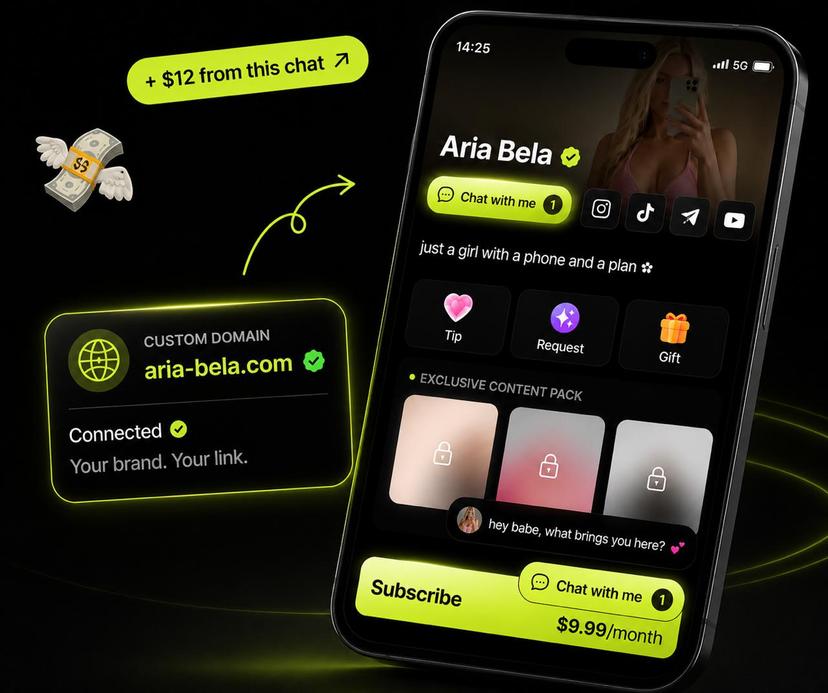
Exclu is one of the options in this space: an agency built for women creators, with a management track for messaging and growth and a direct-sales platform that takes no commission when you sell your own content. It's a fit if you're already posting and want leverage - not a fix for a page with no niche and no schedule, because no agency can post for you.
And remember who's legally on the hook: if someone else helps run your account, you're still responsible for every piece of content that goes up.
Step 7: Price your content, then get to your first payout
Pricing is your call - the Terms of Use put it entirely on the creator, and every price is charged in USD, so fans abroad also pay conversion fees.
Subscriptions: start at a price you can hold without resenting the work. A $9.99 page with 20 posts converts better than a $25 page with four, and raising the price later only affects new subscribers.
Free page plus PPV grows faster and monetizes through messages and unlockables. A paid page is more predictable. Plenty of creators run both.
Tips and customs: take a deposit before you shoot a custom. You set the price; ask for half up front.
PPV: price the bundle, not the clip. Three videos for $25 outsells three separate $10 messages.
!OnlyFans statements page showing a pending earnings balance and the request withdrawal option
Then the part nobody explains properly. OnlyFans deducts a fee equal to 20% of each fan payment before your earnings land, and creator earnings only become withdrawable once they're reflected in your account and your balance meets the minimum payout amount. Your bank may add conversion or transfer fees on top.
So your first payout is weeks away, not hours: the payment clears, the balance becomes available, you request a withdrawal, and the transfer processes. Don't spend the gross number in your head - and set aside a quarter to a third of every payout for tax. In the US, gig income is taxable whether or not you get a 1099 form, and the IRS gig economy tax center explains the quarterly estimated payments most creators end up owing.
What OnlyFans takes from each payment
The 20% fee applies per payment, before income tax and before any currency conversion your bank charges.
Fan payment | Goes to OnlyFans (20%) | Your earnings |
|---|---|---|
$5 subscription | $1.00 | $4.00 |
$10 subscription | $2.00 | $8.00 |
$25 PPV | $5.00 | $20.00 |
$100 custom | $20.00 | $80.00 |
Sales tax is added on top of the fan payment in applicable jurisdictions, so it isn't part of that 20%. And a refund or chargeback can pull back the earnings portion of the payment later - the Terms of Use allow it, and it's why keeping delivery records matters.

The mistakes that stall new creators
Building the page, then waiting. A finished profile isn't traffic. If you don't know which channel sends your next 50 subscribers, the page is a hobby.
Pricing high on an empty timeline. Price signals value, but only when the value is visible. Fill the page first.
Posting daily for two weeks, then vanishing. Renewals are the business. A subscriber who renews twice is worth more than three one-month subscribers, and silence kills renewal.
Handing the account to the first manager in your DMs. Revenue promises and password requests are the two clearest red flags in this industry. Contract first, always.
Ignoring the tax bill until April. Your payout is not your income. Move 25–30% out of every withdrawal the day it lands.
Frequently asked questions
Do you need to be 18 to join OnlyFans?
Yes. OnlyFans requires users to be at least 18, and creator accounts must upload a valid ID and two photos of you before going live. Verification details vary by country, and the platform can request more information at any time.
How much does OnlyFans take from creators?
20% of every fan payment: subscriptions, pay-per-view, tips, customs. On a $10 subscription, that's $2 to the platform and $8 to you before income tax.
How much should I charge for a subscription?
OnlyFans doesn't set a range for you - the Terms of Use put pricing on the creator, and all prices are charged in USD. Most new pages land between $5 and $15 a month, but the right number is the one your subscribers keep renewing at. Test for a month, then adjust for new subscribers only.
How long does it take to get paid the first time?
Longer than a sale, shorter than a month for most people. Earnings must become available in your account, your balance must meet the minimum payout amount for your method, and the transfer then has to clear your bank. Plan on a couple of weeks from first sale to money in hand.
Can I stay anonymous as an OnlyFans model?
Partly. A stage name, a separate email and phone number, and careful photo backgrounds reduce exposure, but nobody can guarantee anonymity - content gets saved, reposted and leaked. Assume someone you know will eventually find the page, and decide what you're comfortable with before that happens.
Do I need a following before I start?
No, but it's the biggest predictor of how fast the first months go. Without an existing audience you're building traffic from zero, which means months of posting on other platforms before the subscription revenue is meaningful. That's the honest version of why some creators make it and most don't.
Is an OnlyFans management agency worth it?
Only when you already have content and revenue and want leverage on the parts you're bad at - messaging, traffic, retention. Before that, an agency has nothing to scale. Read the contract, check the exit clause, and never hand over your account password.
Useful sources
OnlyFans Terms of Use - creator registration requirements, the 20% fee, payouts, pricing, advertising restrictions (last updated August 2024)
OnlyFans Community Guidelines - what can and can't be posted
Contract between Fan and Creator - how subscriptions and renewals work on the fan side
IRS Gig Economy Tax Center - reporting and estimated tax for platform income